Object Detection from Reference Images
The goal of this project at Diamond Age Technology was to develop a method to detect objects, using a few “reference” images of the same (or similar) objects. The application is an augmented reality tool to assist a person in performing a task. The idea is that a subject matter expert annotates an example object with subpart labels and instructions, and then another user can see these labels mapped to the particular object they are looking at.
This is very useful for many applications! For example, a factory supervisor wearing an AR headset could tag a leaking seal on a machine with a work order for a technician. Later, another technician also wearing an AR headset could then easily locate the leaking seal and understand the tasks to be performed by viewing the annotations that are displayed, registered to the object.
A key obstacle to deploying augmented reality is the effort to train the system to recognize new objects. To avoid the need for training, I use a small number of “reference images”, taken while the user places the annotations. As a result, the method can be quickly and easily applied to new objects. The images below show examples of matching a reference image of an object to a query image of a different instance of the object.
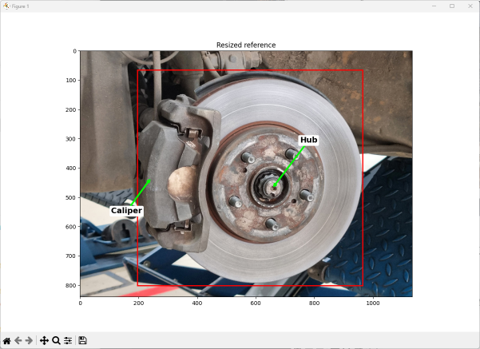
Reference image, with annotations placed by the first user.
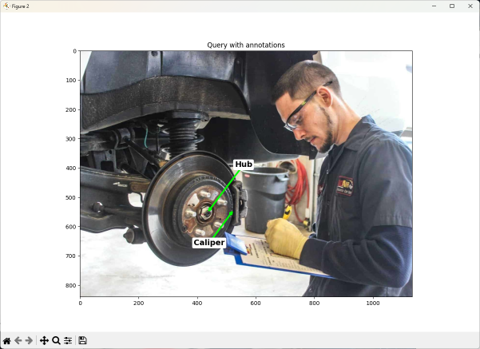
Query image, with annotations automatically placed by the system.
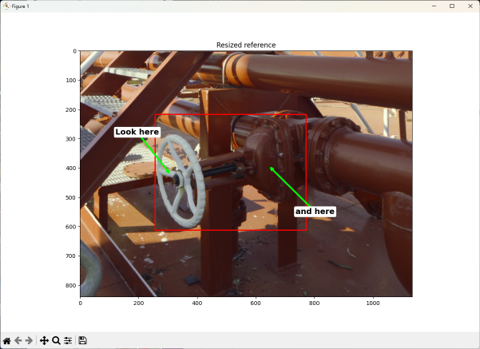
Reference image, with annotations placed by the first user.
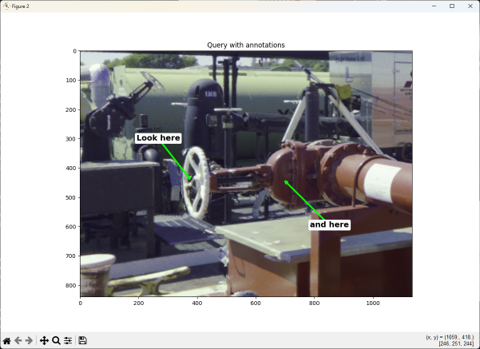
Query image, with annotations automatically placed by the system.
The method uses a convolutional neural network (CNN) to extract dense features from the images. It uses pre-trained features from the DINOv2 foundation model, that work across a wide variety of object types. I then use the RoMa (Robust Matching) network to find matching pixel pairs, even when they differ significantly in viewpoint, illumination, or scale.
I match each reference image against the query image and pick the reference image with the highest number of consistent matches, meaning feature pairs that have each other as their best match. Once I have the “warp” (or flow) field between the images, I can map the annotations from the reference image to the query image.
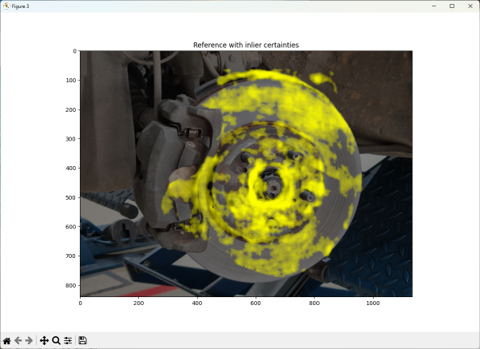
Matching features on the reference image.
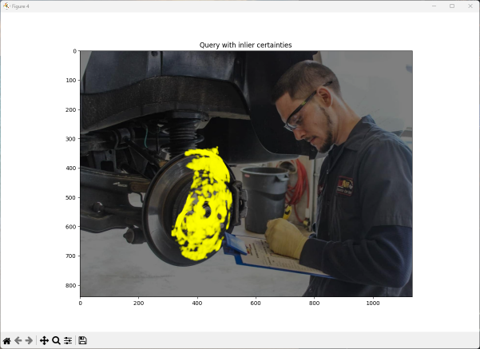
Matching features on the query image.
Video Examples
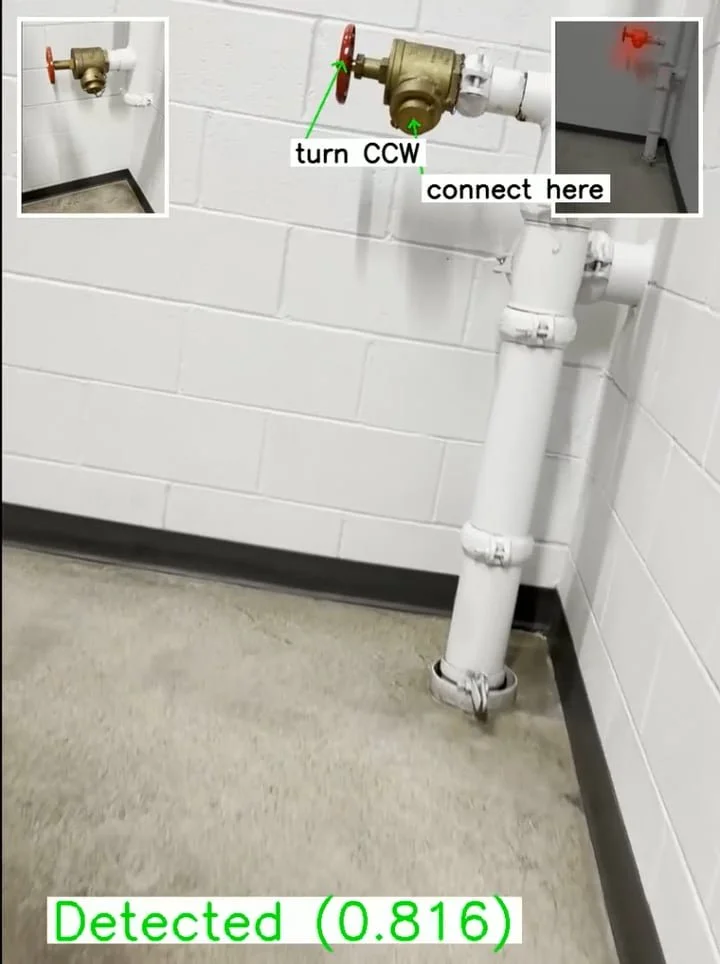
The videos below show the detection of an object using images from a hand-held phone camera. As shown in the guide in the adjacent figure, the inset image in the upper left of each video frame shows which reference image was matched. The inset image in the upper right of each video frame shows the matching features.
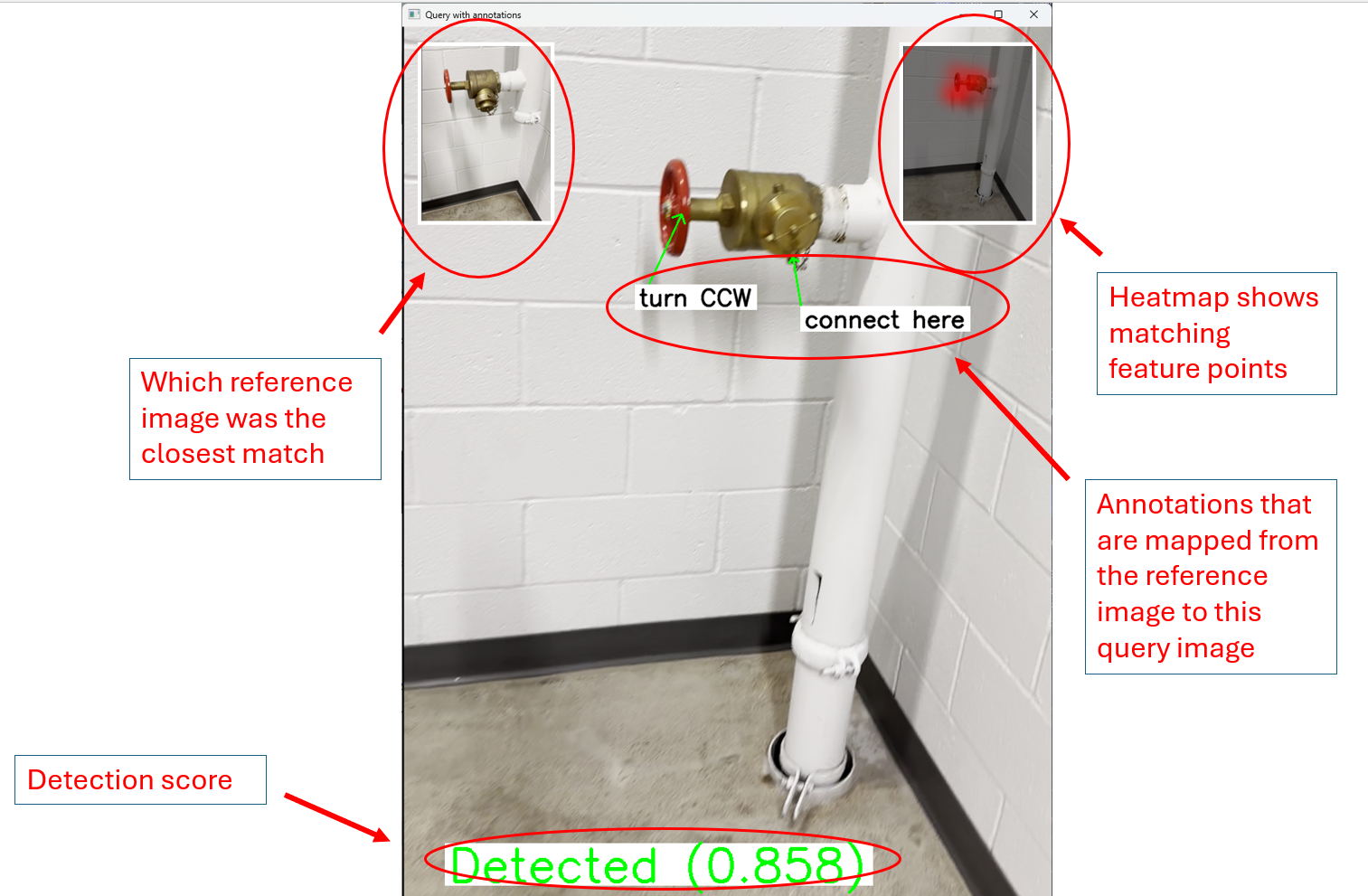
Legend for object detection videos below.
Fire Hose Valve
In this example, the reference object is a fire hose valve on one floor of a building, and the query object is an identical fire hose valve on another floor.
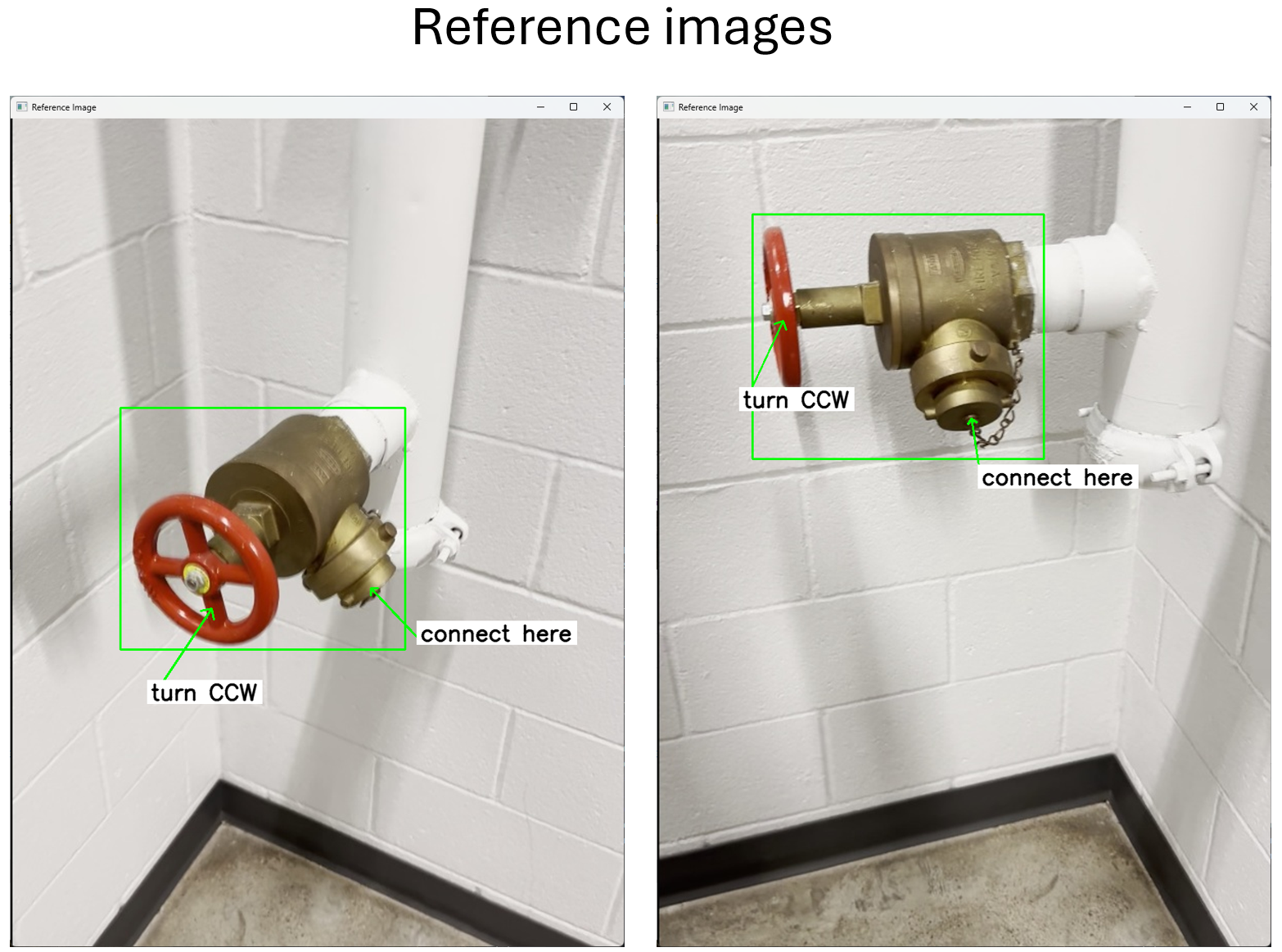
Reference
Query
In this example the type of the query object is the same as the type of the reference object.
Fire Hydrant - Example 1
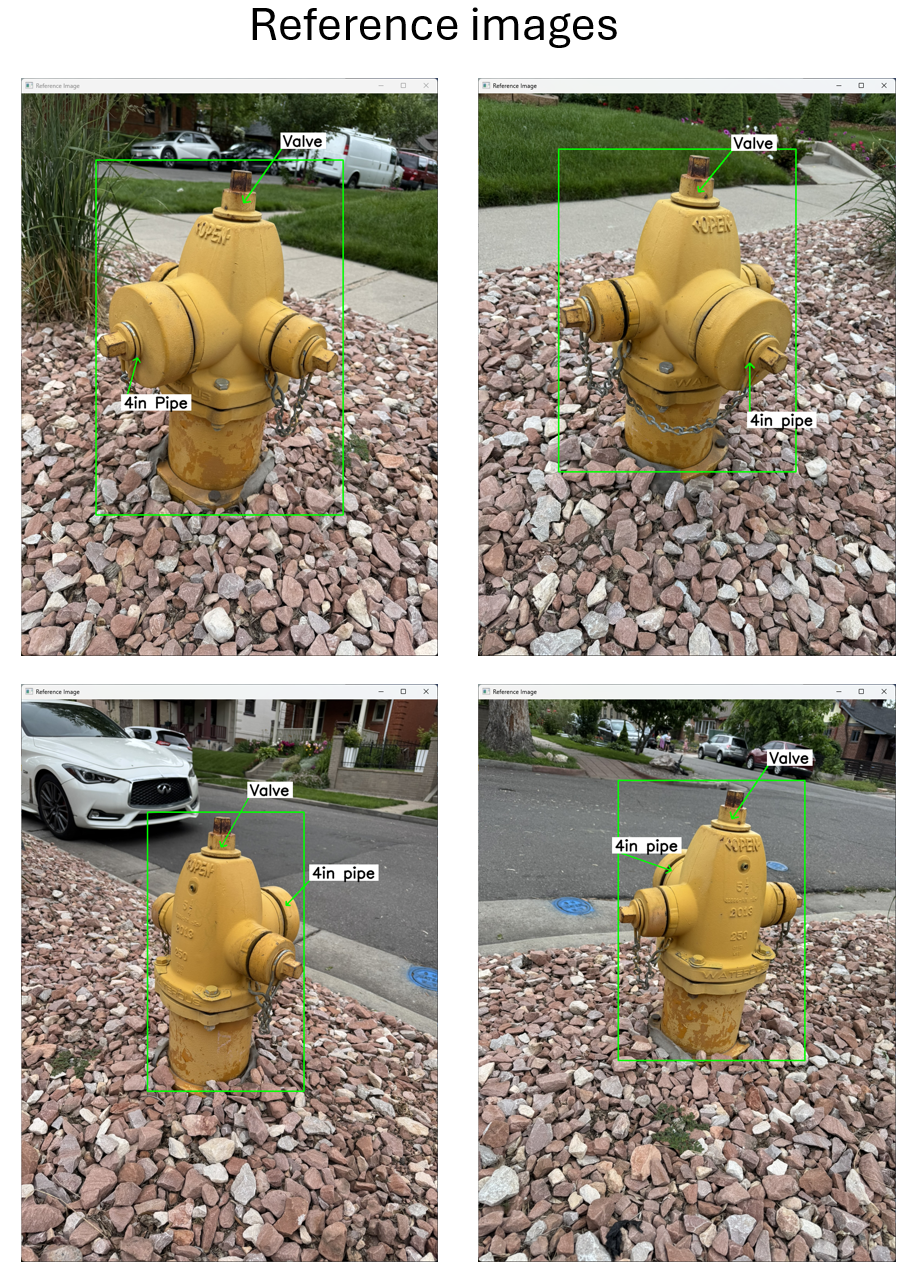
Reference
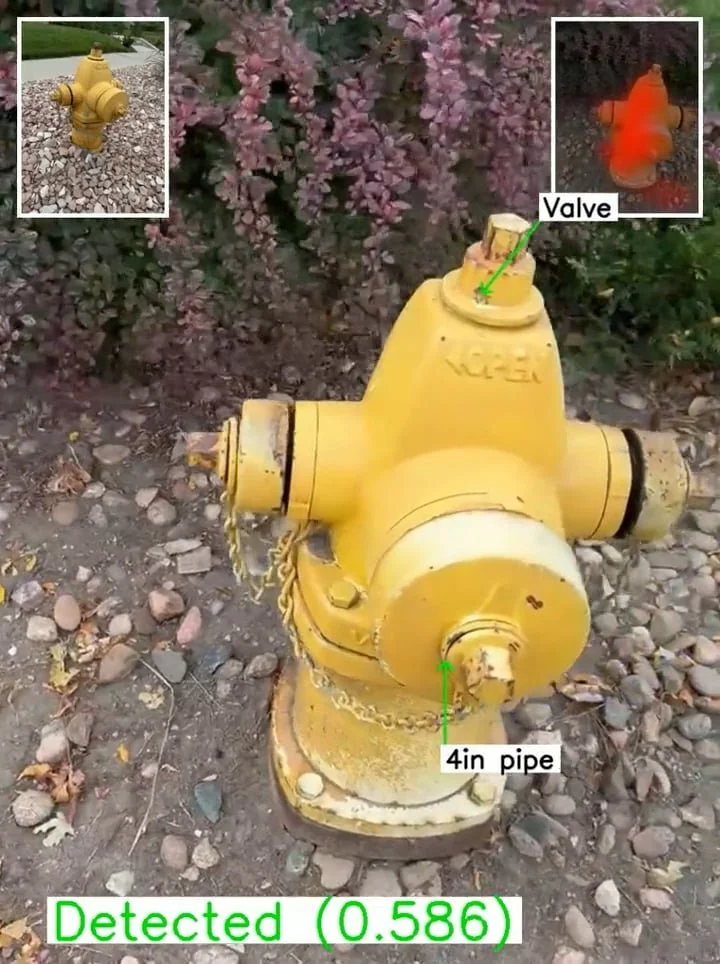
Query
Fire Hydrant - Example 2
In this example the type of the query object is different than the type of the reference object.
Reference
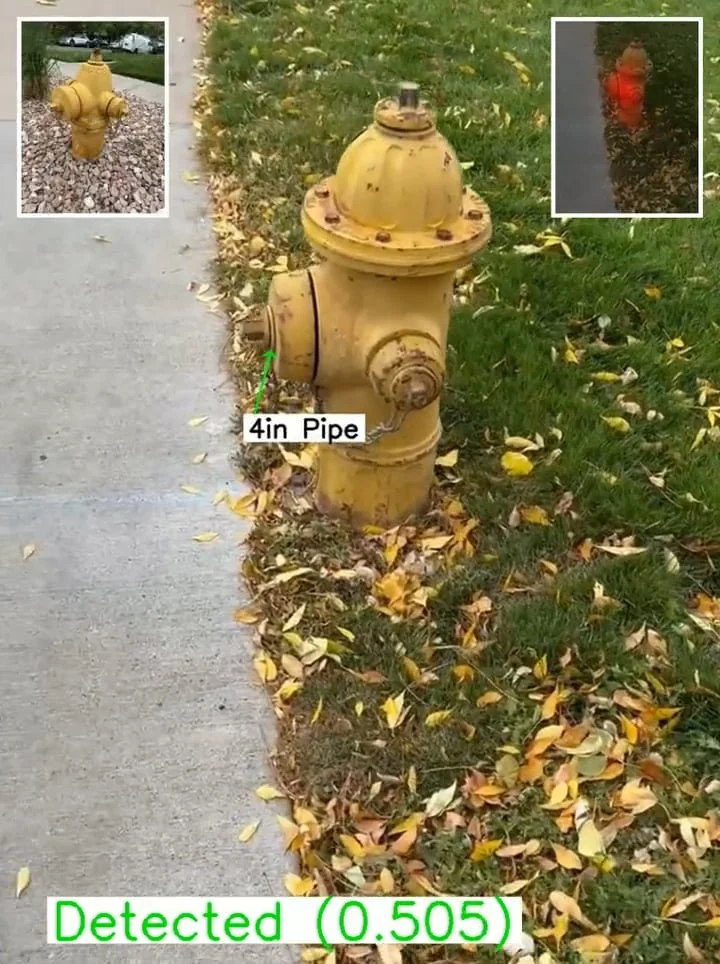
Query